Best Poker Tracker - Complete Guide 2026
Poker trackers are hand analysis software that help players improve their game by tracking their statistics and those of their opponents. In this article, discover how they work and which one to choose.

Are you a Spin player (Expresso, Spin & Rush, etc.)?
This article compares the different general-purpose poker trackers.
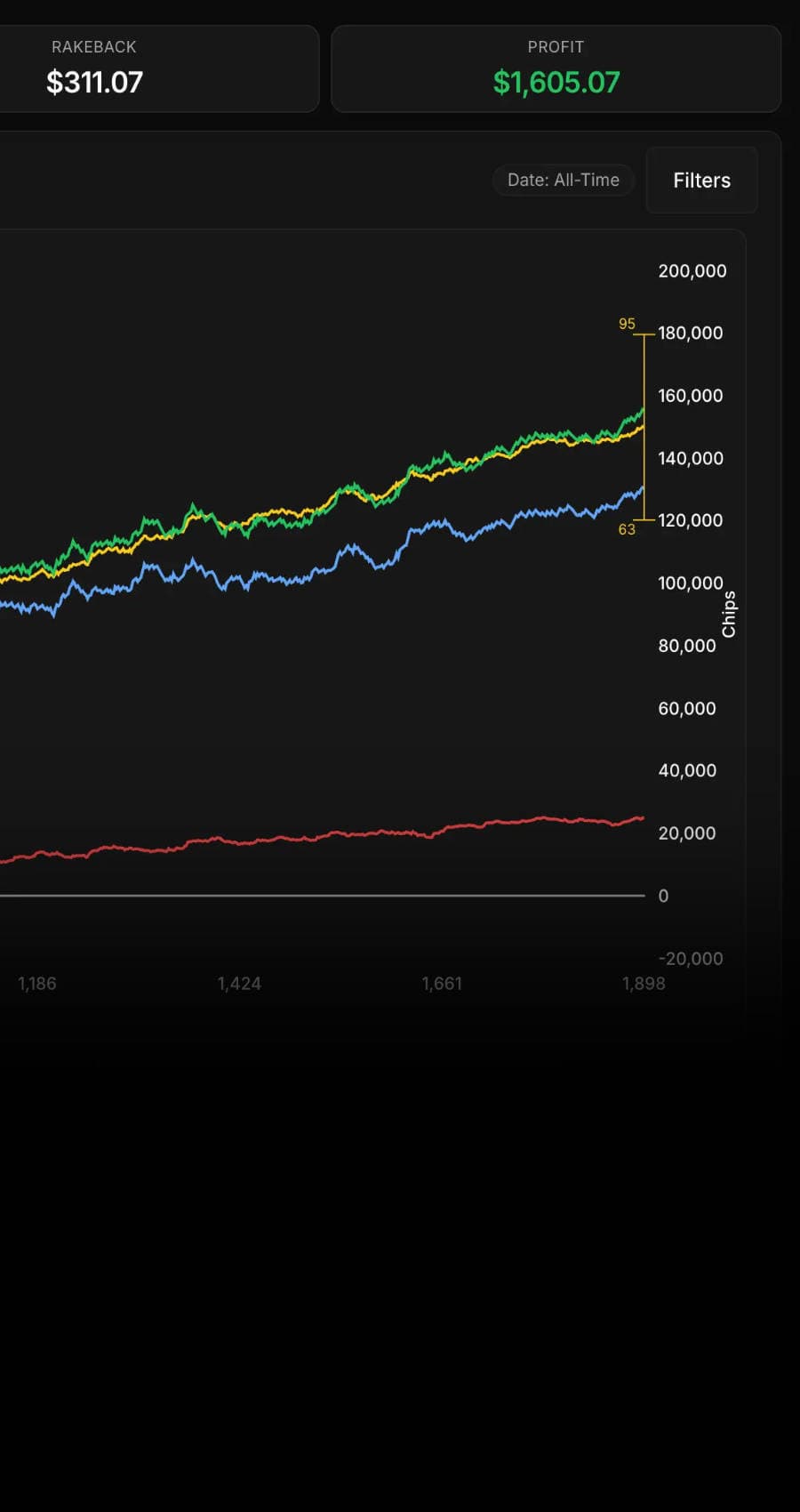
But if you're a Spin player, then the best tracker for you is by far Poker Spin Tracker.
It was created specifically for Spin players, to give them easy access to all the essential data when playing this format.
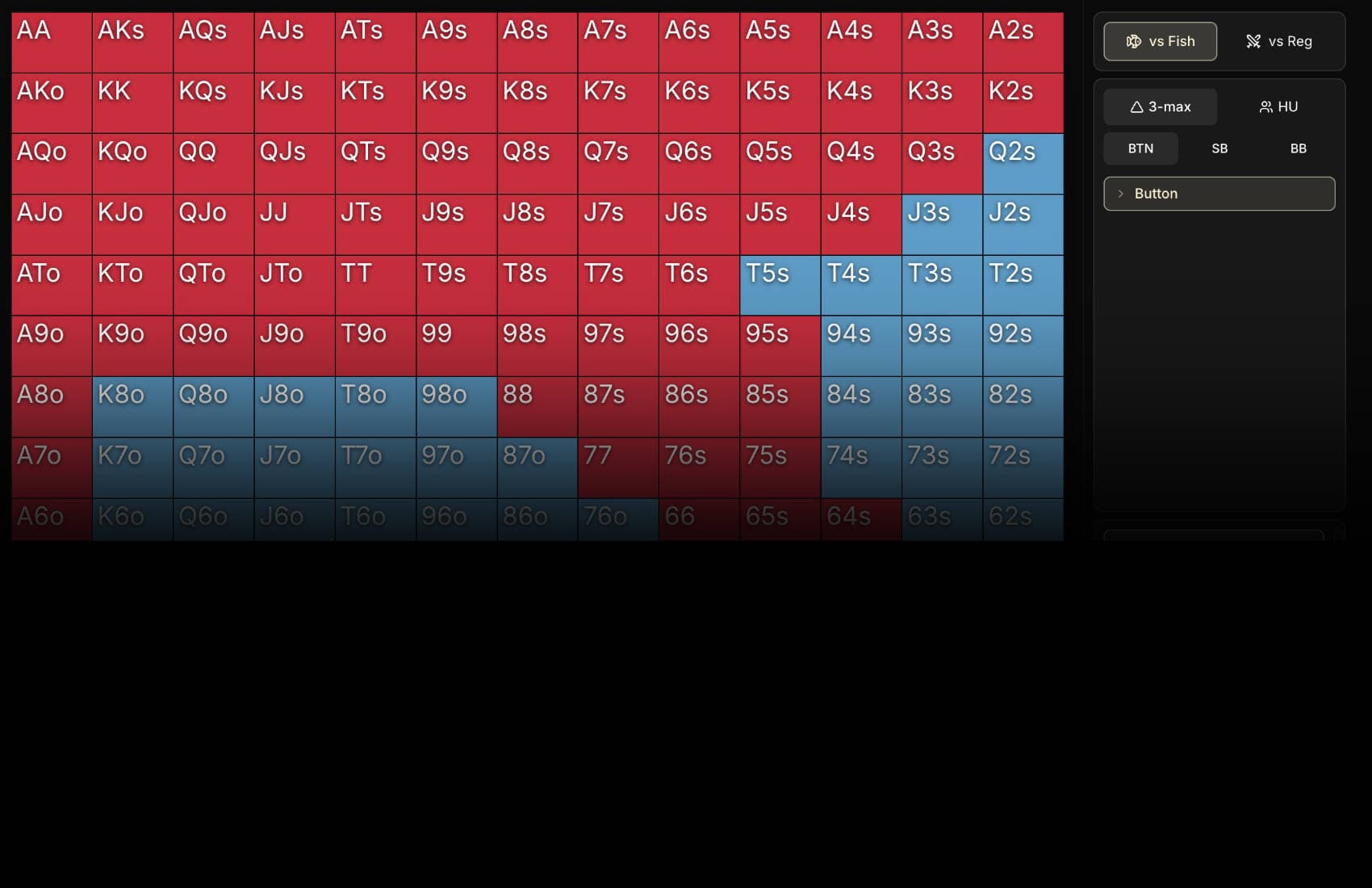
Plus plenty of features to improve your game and win more, like a Leak Finder.
A tracker gives you a complete overview of your playing sessions. You no longer play in uncertainty: every decision can be re-examined to adjust your choices in the future.
If you're looking to seriously improve at poker, a tracker becomes almost indispensable. You'll finally be able to answer questions like:
Am I too aggressive?
What's my profitability with a specific hand?
Our latest videos
How does a poker tracker work?
The way a tracker works is simple. While you play online, the software automatically captures every hand. It stores this data in a database, accessible through a clear interface. Every action is recorded:
- Your cards
- Your opponents' cards (if shown)
- Bets
- Hand results
Main features of a tracker
Poker trackers offer many features. Here are the main ones:
- HUD (Heads-Up Display): This is the central element of most trackers. In real time, on your poker table, it displays statistics about each player, such as their percentage of hands played (VPIP) or the number of preflop raises (PFR).
- Hand history: A good tracker keeps a record of all the hands you've played. You can review them, analyze your decisions, and understand what worked or failed.
- Post-session analysis (short-term analysis): Once your session is over, the tracker lets you analyze all your results. You can see how many hands you won, how many you lost, and determine if you played optimally.
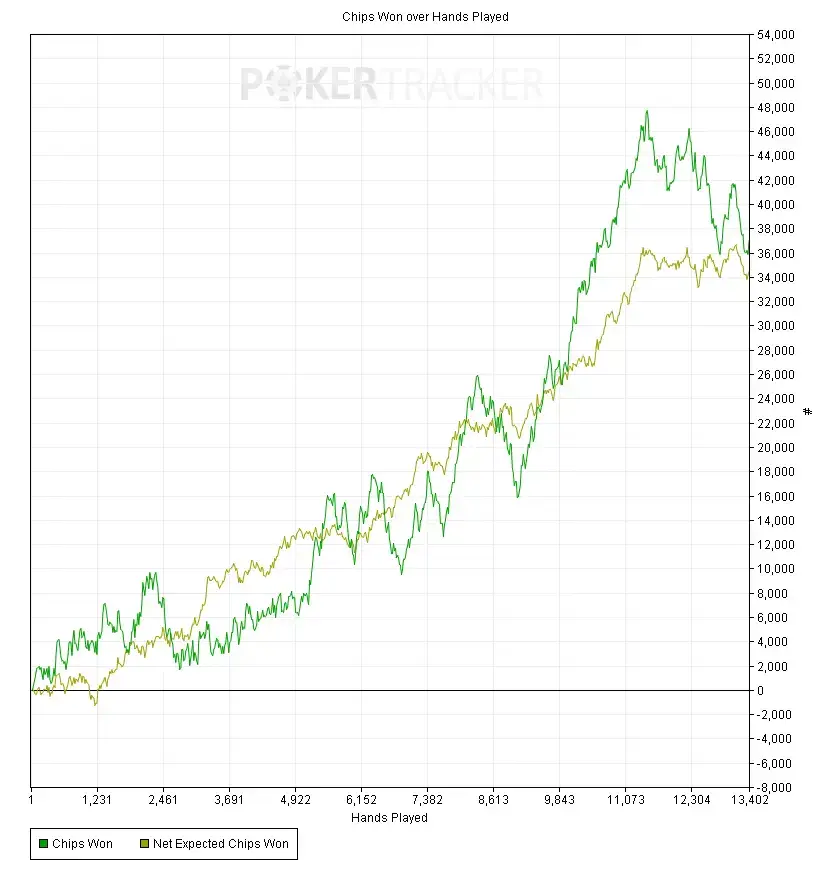
- Progress graphs (long-term analysis): These graphs visually show you whether you're improving or if your game is stagnating. It's an excellent way to measure your long-term performance.





What are the best poker trackers in 2026?
In 2026, several trackers dominate the market. Here's a detailed overview of the main tools available, each with its strengths and weaknesses, to help you choose the one that best suits your needs.
PokerTracker 4 (PT4)
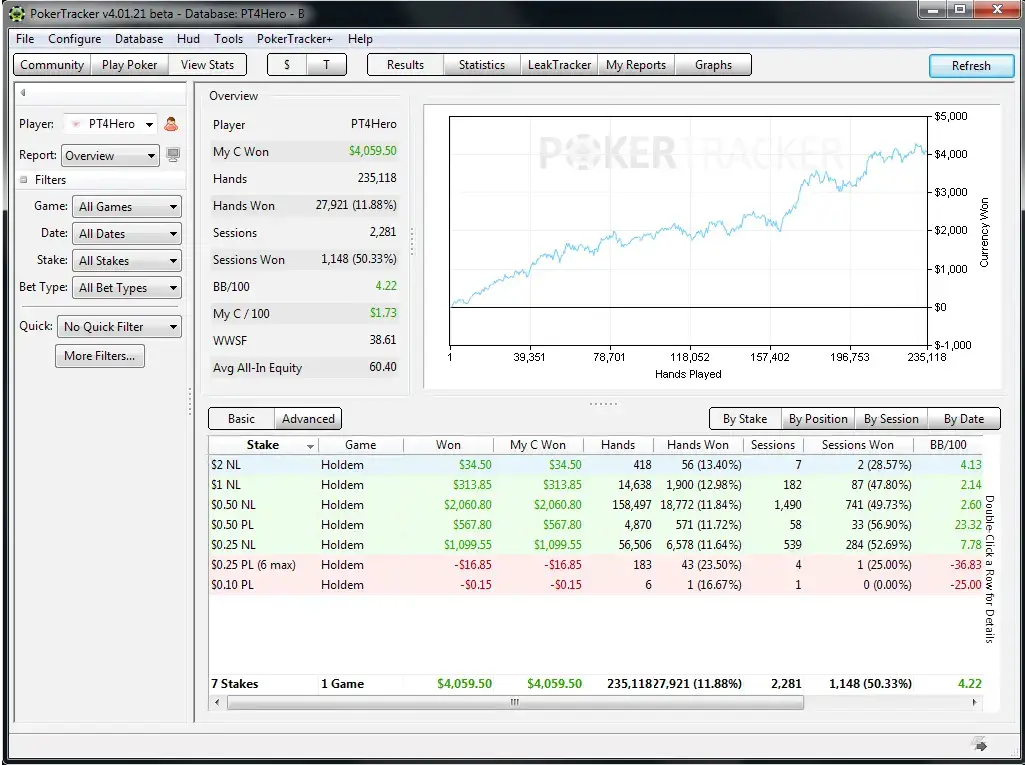
Essential for tracking performance across various formats (cash games, MTT, spins), with a customizable HUD. Regularly updated, it also benefits from a large community.
| Pros | Cons |
|---|---|
| ✅ Great HUD flexibility | ❌ Slightly dated interface |
| ✅ Hold'em and Omaha support | ❌ Less visual than competitors |
| ✅ Large community | |
| ✅ Leaktracker feature |
Poker Spin Tracker
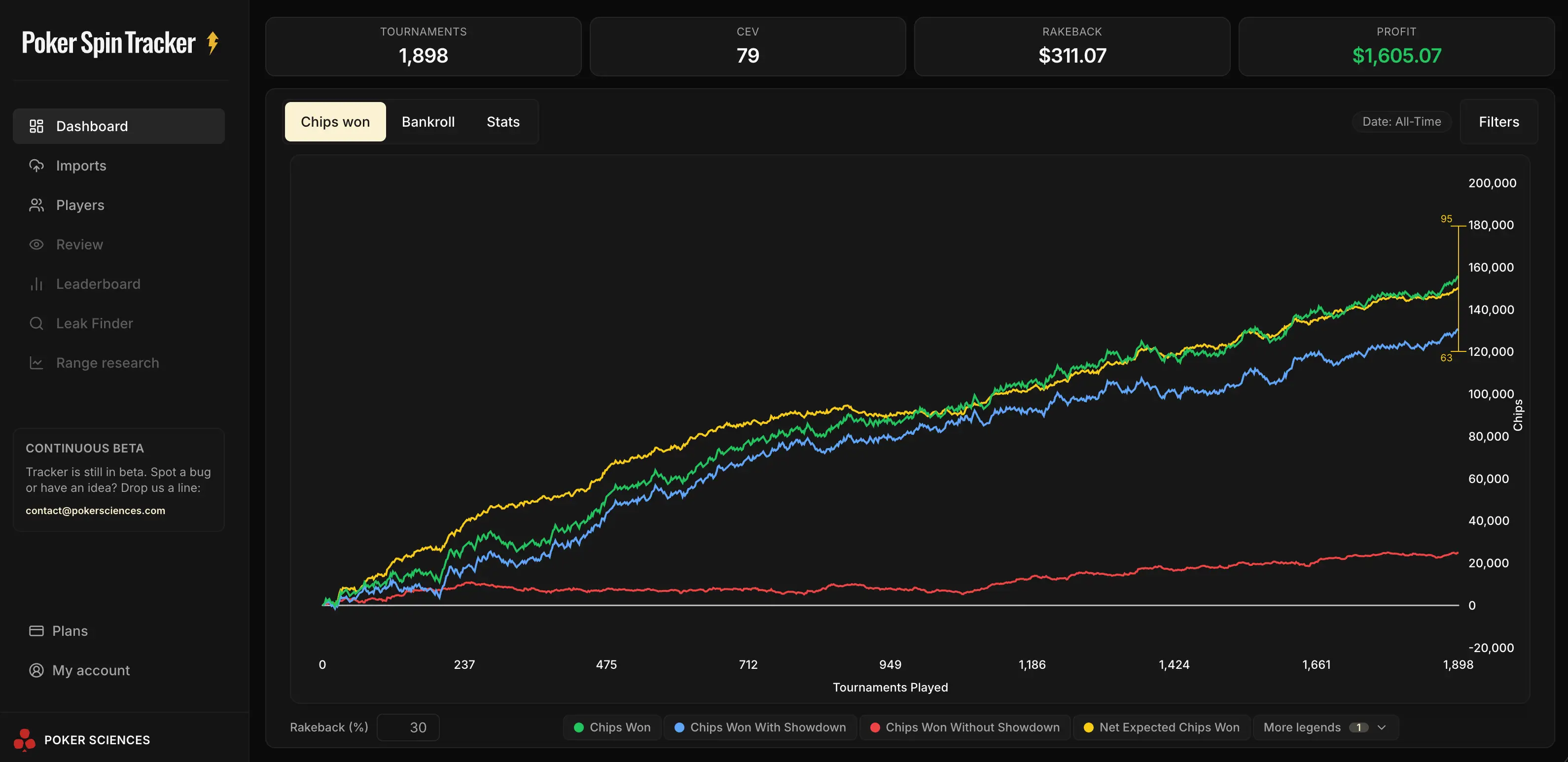
Poker Spin Tracker is by far the best option for you if you play Spin & Go (Expresso, Spin and Rush, Spin & Go, Twister, etc.)
It's a recent tracker that offers all the essential features for Spin players as well as very interesting features like a Leak Finder.
| Pros | Cons |
|---|---|
| ✅ Tailor-made for Spins | Still looking... |
| ✅ Easy to use | |
| ✅ Advanced features for top players | |
| ✅ Affordable price | |
| ✅ Many rooms supported |
Hold'em Manager 3 (HM3)
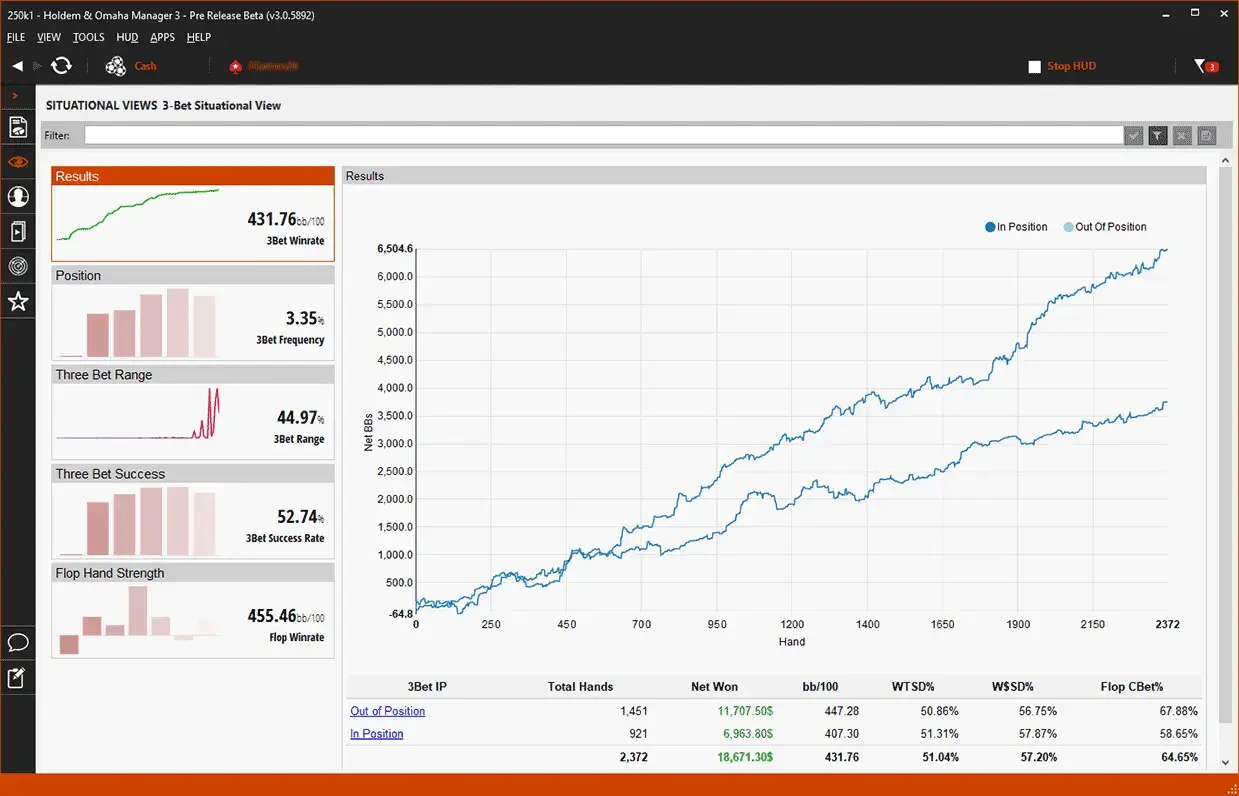
Known for its advanced analysis and interactive graphs. Its HUD is highly customizable, making it ideal for experienced players who want to deepen their analysis.
| Pros | Cons |
|---|---|
| ✅ Advanced graphical analysis | ❌ Complex for beginners |
| ✅ Extensive HUD customization |
Xeester
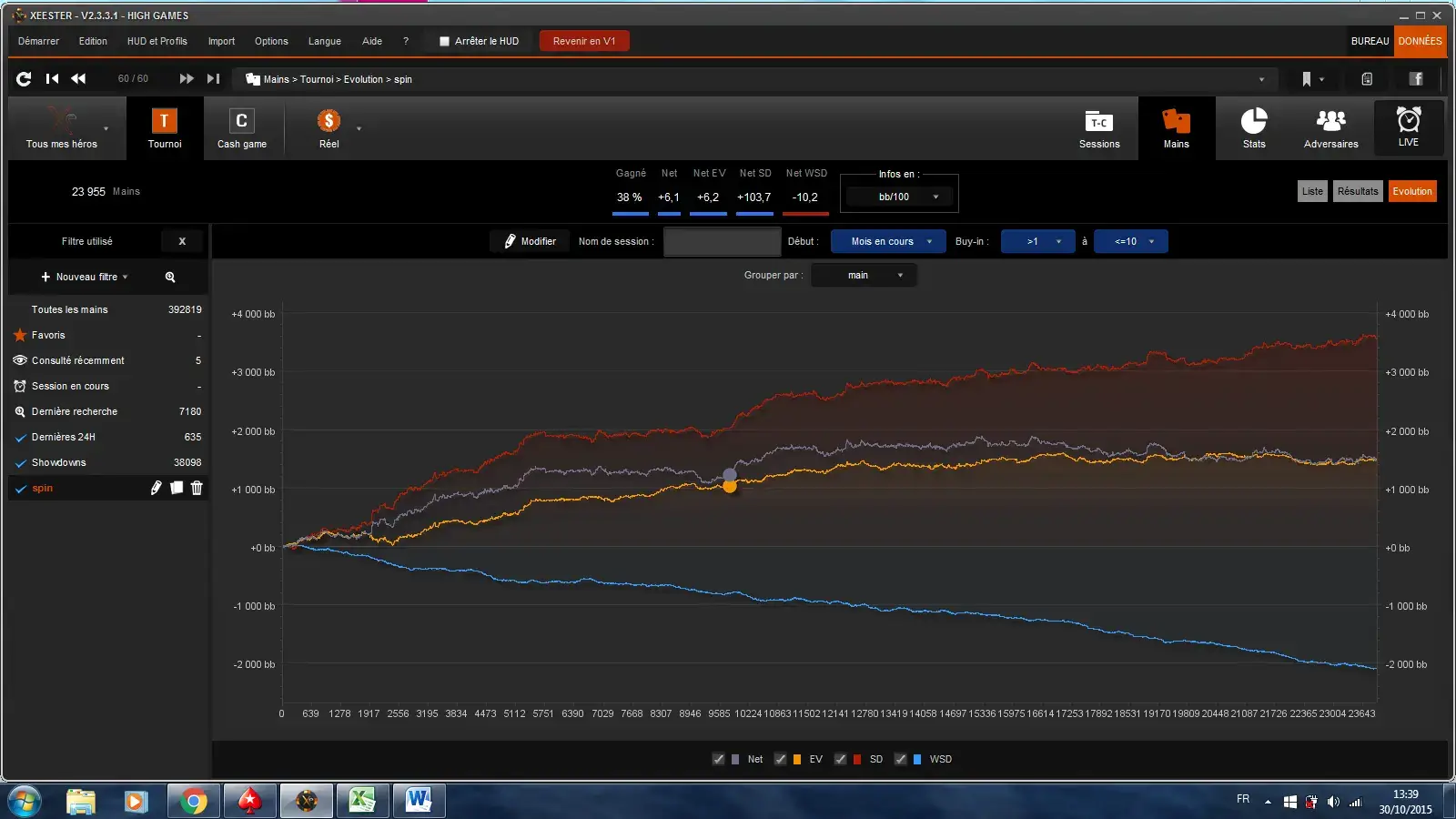
Popular among French-speaking players thanks to its simplicity. Xeester is more affordable and offers basic features like a HUD and post-session analysis, perfect for beginners.
| Pros | Cons |
|---|---|
| ✅ Affordable price | ❌ Complex interface |
| ✅ French interface | ❌ Fewer advanced features for experienced players |
| ✅ Spin&Go features |
Hand2Note
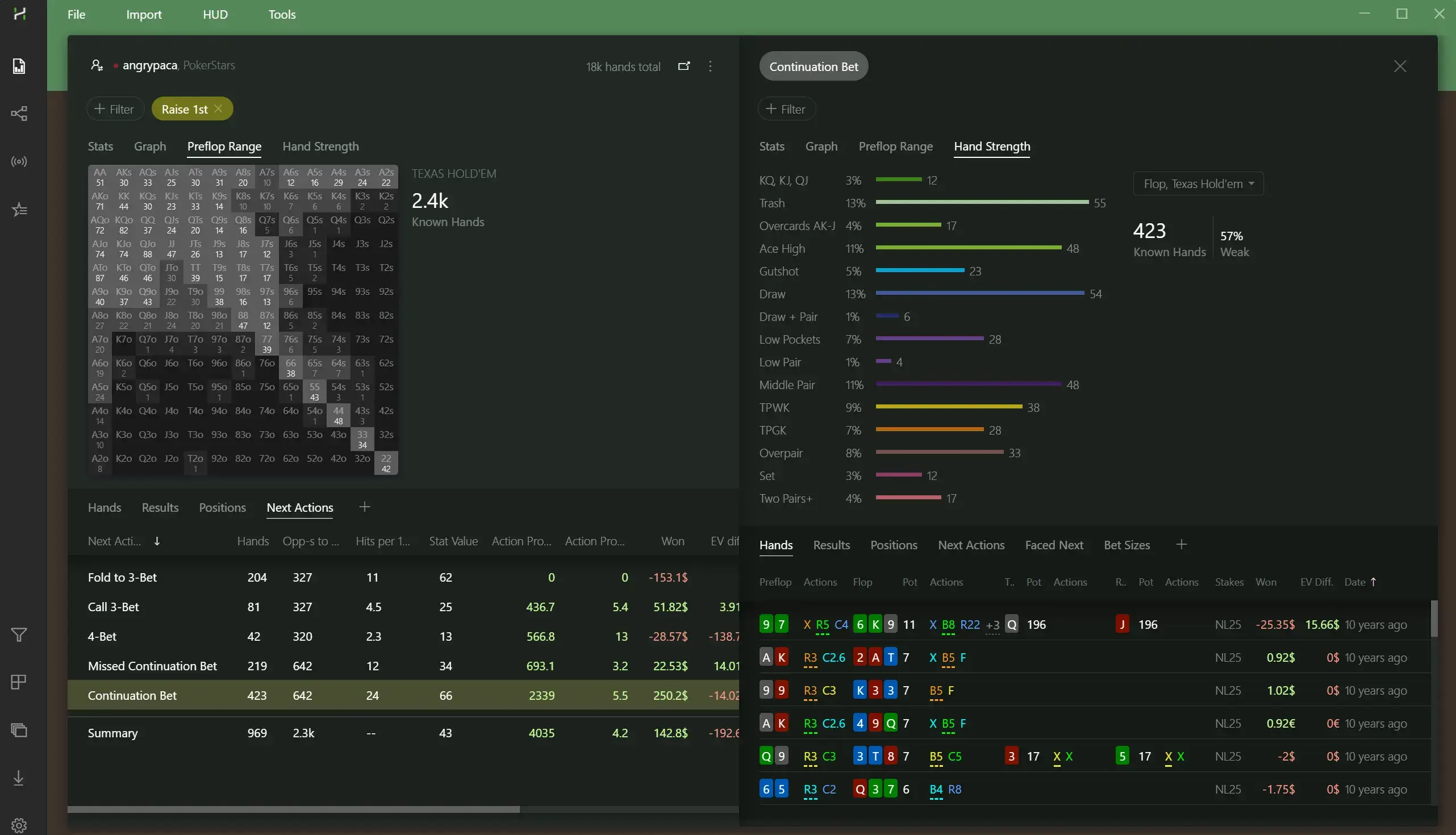
Appreciated by experienced players, Hand2Note offers an ultra-customizable HUD. Perfect for those seeking detailed analysis, but more complex for beginners. It's mainly used by players looking to extract the maximum information from their opponents.
| Pros | Cons |
|---|---|
| ✅ Ultra-customizable HUD | ❌ Complex to use |
| ✅ Opponent range research capabilities | ❌ Reserved for experienced players |
Poker Copilot
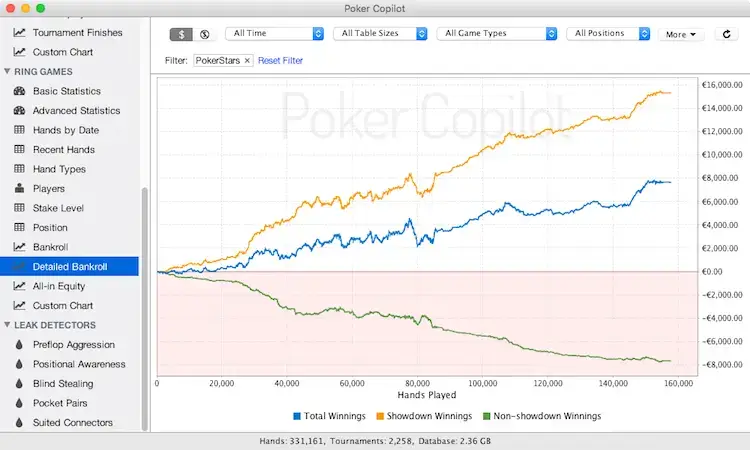
Designed for Mac, Poker Copilot is smooth and easy to use, with a HUD and clear graphs to track your performance.
| Pros | Cons |
|---|---|
| ✅ Mac compatible | ❌ Less customization and fewer advanced tools compared to competitors |
| ✅ Simple interface | |
| ✅ Essential features | |
| ✅ Ideal for beginners |
DriveHUD
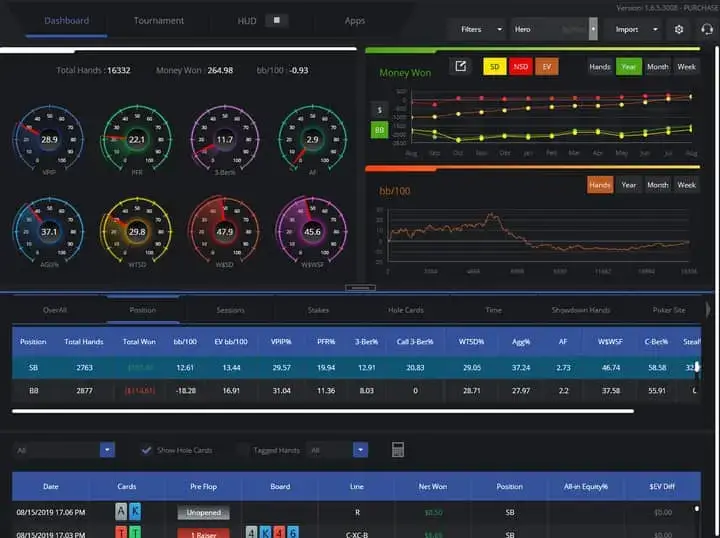
Less well-known, DriveHUD offers interesting tools but honestly the interface is dated and complex.
| Pros | Cons |
|---|---|
| ✅ Original graphical tools | ❌ Dated and complex interface |
| ❌ Less well-known | |
| ❌ Smaller community |
Why use a tracker?
Using a poker tracker gives you a clear and objective view of your long-term performance. You can not only track your wins and losses, but more importantly understand the reasons behind your results.
With the collected data, you can adjust your strategy with greater precision and stop relying solely on instinct.
A tracker helps you:
- Optimize your real-time decisions: The HUD (Heads-Up Display) displays live statistics about your opponents, such as the percentage of hands played (VPIP), the preflop raise rate (PFR), or the 3-bet frequency.
This information allows you to make better decisions on every hand and adjust your strategy based on your opponents' tendencies.
- Improve your bankroll management: Detailed tracking of your wins and losses helps you better manage your bankroll. Recommended reading: Poker Bankroll Management: MTT, Spin and Cash Game.
- Hand history: The tracker records all your hands, allowing you to review key decisions. This feature is important for correcting mistakes or confirming that certain strategies are profitable in the long run.
- Reports and graphs: These visual tools help you understand where you're performing well and where you need to improve. You can view your statistics by position, by game format (cash games, MTT, spins), by stack size and understand what works best for you. They also help identify problematic behavioral patterns, both for you and your opponents.
For example, if an opponent has played almost no hands since the beginning of the game, their VPIP will be very low, indicating they select their hands carefully. So when they enter a pot, they're likely to have a very strong hand.
Which tracker for beginners? And for experienced players?
Recommended trackers for beginners
For a beginner, a tool that helps you track your basic statistics and use a simple HUD is already a good start. Here are some suitable options:
- Poker Copilot: Designed for Mac, smooth and intuitive interface with a simple HUD.
- PokerTracker 4: Suitable for beginners thanks to its clear interface and many online tutorials.
- Xeester: Very simple interface, easy-to-configure HUD, and available in French.
- Poker Spin Tracker: The ideal tracker if you play Spins (Expresso, Spin & Go, Twister, etc.), with tools like a Leak Finder.
Trackers for experienced players
If you're an experienced player, you'll want a tracker capable of providing advanced session analysis and more detailed statistics. The following options are ideal for those who want to optimize every aspect of their game:
- PokerTracker 4: Detailed reports and comprehensive performance tracking.
- Hold'em Manager 3: In-depth analysis and detailed reports to adjust your decisions.
- Hand2Note: Advanced opponent range analysis, ideal for identifying precise trends.
- Poker Spin Tracker: The go-to tracker for Spin players, with Leak Finder and built-in improvement tools.
Poker tracker price comparison
Poker trackers are offered under different business models, generally freemium or paid.
| Tracker | Price |
|---|---|
| Poker Tracker | All Stakes: $99.99 Small Stakes: $64.99 |
| Poker Spin Tracker | Free version available Paid plans from €13/month |
| Holdem Manager | Small Stakes: $65 All Stakes: $100 |
| Hand2Note | Free (14 days) Hand2Note Learner — $15.99/month Hand2Note Pro — $49/month |
| Poker Copilot | Micro Stakes — $27 Small Stakes — $69 All-Stakes — $99 |
| Xeester | Free trial (30 days) Micro Games — €12/year Low Games — €24/year Middle Games — €39/year |
Installation and initial setup
Installing and configuring a poker tracker is generally straightforward.
- Download the software: Go to the official website of the tracker you've chosen (for example, PokerTracker or Hold'em Manager) and download the version compatible with your operating system.
- Installation: Follow the instructions to install the software on your computer.
- Room configuration: You'll need to link your tracker to the online poker room where you play. This often involves configuring the folder where hand histories are saved.
- HUD setup: Once the connection with the room is established, you can configure your HUD according to your preferences (which statistics to display, their position on the screen, etc.).
Poker tracker compatibility
Mac and Windows compatible trackers
| Tracker | Windows | Mac |
|---|---|---|
| Poker Tracker | 🟢 | 🟢 |
| Poker Spin Tracker | 🟢 | 🟢 |
| Holdem Manager | 🟢 | 🔴 |
| Hand2Note | 🟢 | 🔴 |
| Poker Copilot | 🟢 | 🟢 |
| Xeester | 🟢 | 🟢 |
| Drive HUD | 🟢 | 🔴 |
All trackers work on Windows. PokerTracker, Xeester, and Poker Copilot work on both systems.
However, Hold'em Manager, Hand2Note, and DriveHUD are limited to Windows, excluding Mac users unless they use an emulator.
Tracker compatibility with online poker rooms
Most poker trackers are compatible with almost all major online poker rooms. These platforms are well supported for analyzing your sessions, whether in cash games, tournaments, or spins.
However, there's a caveat with the iPoker network. This network doesn't work properly with all trackers.
Some trackers, like Poker Copilot or Hand2Note, may have difficulty analyzing data correctly on this platform. It's therefore advisable to check compatibility if you frequently play on iPoker rooms.
The iPoker network is a platform that groups several online poker rooms, allowing players from different sites to play at the same tables. In France, Betclic is an example of a room that is part of the iPoker network.
The HUD experience with a poker tracker
What is a HUD?
The HUD (Heads-Up Display) is a central tool in poker trackers. It's an interface that displays real-time statistics about your opponents while you play. This information, based on data collected by the tracker, helps you better understand your opponents' tendencies and adapt your strategy accordingly.
For example, you can know if a player raises often preflop (PFR) or if they play more passively.
HUD example
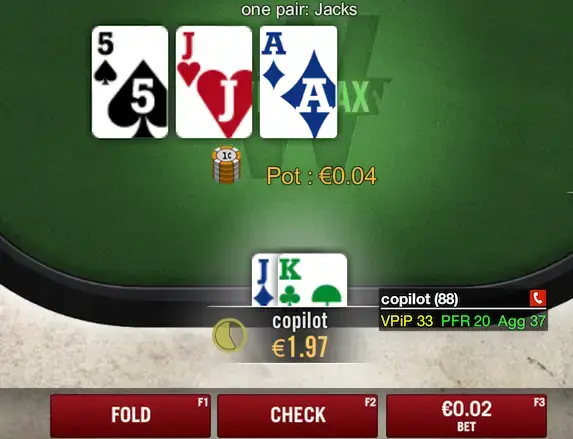
HUD customization
The key is not to overload your HUD with too many statistics, as this can become counterproductive. It's often recommended to start with a few key statistics and adjust them as you become more comfortable. Here are the main ones:
- VPIP (Voluntary Put Money in Pot)
- PFR (Preflop Raise)
- 3-bet (Re-raise frequency)
- WTSD (Went to Showdown)
The value of the HUD in live play
One of the biggest advantages of a HUD is that it allows you to react in real time to your opponents' actions, by providing precise data about their playing style. The HUD helps you stop relying solely on your impressions and gives you an objective view of your opponents' behavior.
For example, if you see that a player has a very high VPIP but a low PFR, you can deduce that they play many hands but rarely raise, which allows you to counter them by playing more aggressively against them.
Relying too heavily on statistics can cause you to neglect live game dynamics or specific game contexts.
For example, if an opponent suddenly starts going all-in on every hand because they're on tilt, their usual HUD statistics, like their raise rate or 3-bet frequency, won't reflect this change in behavior.
How can a poker tracker help you improve?
Analyzing strengths and weaknesses with a tracker
One of the main uses of a tracker is to help you identify your own weaknesses. By analyzing your statistics, you can discover trends in your game, such as being too passive in certain situations.
The tracker gives you the tools needed to adjust your strategy based on recurring mistakes. If you want to improve at poker, it's essential to understand these trends and address them.
For example, by looking at results curves, you can easily see if you're winning or losing from a specific position. If you're losing heavily from the Small Blind, for instance, you could identify bad habits.
Long-term performance tracking
Another major advantage of a tracker is that it allows you to track your long-term performance. Progress graphs show you whether your game is improving or stagnating.
You can analyze your results by position, game format, or even by type of hands played. This helps you see the phases where you play best and identify moments when you deviate from your winning strategy. This type of tracking is essential for evolving as a poker player.
Key statistics by game format
The statistics to prioritize vary depending on the game format, as each format emphasizes different strategic aspects:
- Cash Games: The main indicator to follow is BB/100 hands, which measures the number of big blinds won (or lost) every 100 hands. This allows you to evaluate your long-term profitability. A high BB/100 indicates a consistently winning game.
- MTT (Tournaments): ROI (Return on Investment) is the key statistic. It represents the profit percentage relative to buy-ins invested. A positive long-term ROI indicates that you're profitable in your tournaments.
- Spins: For spins, the most important statistic is CEV (Chips Expected Value). It's the average number of chips won per game. A positive CEV shows that you're making profitable decisions, regardless of the variance in the spin format.
3 traps to avoid with a poker tracker
Even though a tracker is a powerful tool, it's easy to fall into certain traps that can limit its effectiveness:
- Relying on too little data: Statistics only become meaningful after a sufficient volume of hands. Drawing conclusions based on a few hundred hands can lead to errors in your analysis. Count at least 30 hands in a given situation before trusting the data.
- Over-analyzing opponents: Too much information can hurt your game. It's important to focus on key statistics and not overload the HUD, at the risk of losing sight of live game dynamics.
- Ignoring your own weaknesses: Using a tracker solely to analyze opponents is a common mistake. Don't forget to analyze your own statistics to correct your weaknesses and continuously improve your game.

FAQ
Is a tracker worth it?
Absolutely, a tracker is worth it if you take poker seriously and want to improve your results in the long term. It offers valuable tools to analyze your game and that of your opponents, which is essential for improving.
Are there mobile versions of trackers?
Yes, some poker apps offer features similar to trackers but in a mobile version, like DriveHUD or solutions specific to certain sites. However, the full features of trackers remain primarily available on desktop.
Is it legal to use a poker tracker?
Using trackers is legal on most online poker rooms, as long as you respect the platform's terms of use. However, some rooms restrict the use of HUDs, so it's important to check the specific rules of each site before using a tracker.